Actions and Stuff APK Download v1.9
Tired of Minecraft’s stiff, robotic animations? Actions and Stuff fixes that. It is a resource pack for Minecraft Bedrock that replaces 50+ default animations with smooth, realistic movement – players, mobs, tools, and weather all come alive. And it does this without touching your gameplay, achievements, or world data.
Here’s what you get on this page: free APK and MCPACK downloads, easy install guides for Android, iOS, PC, and consoles, plus everything you need to know before installing.
App Info
App Name
Actions and Stuff
Latest Version
v1.9
Size
247 MB
Category
Resource Pack
Requirements
Android 5.0+
Developer
Oreville Studios
What Is Actions and Stuff?
Actions and Stuff is an animation resource pack for Minecraft Bedrock Edition, made by Oreville Studios – a verified Marketplace partner with 37+ packs and a 4.9-star rating from 124,000+ players. It launched in December 2024 and quickly became one of the most popular Bedrock add-ons ever.
So what makes it special? Three things:
- Not a mod, not a behavior pack. It runs through Minecraft’s built-in Global Resources system. As a result, achievements stay on, worlds stay safe, and gameplay stays 100% vanilla.
- It changes animation data, not just textures. So players, mobs, tools, weapons, weather, and biomes all get new motion – with almost no extra load on your device.
- It runs on every Bedrock platform. Android, iOS, Windows 10/11, Xbox, PlayStation, and Switch. No root. No third-party launcher.
In short, it is the Bedrock answer to Java’s famous Fresh Animations mod. Many players say it feels like an official Mojang update.
Why Vanilla Bedrock Animations Feel Outdated
Minecraft Pocket Edition launched in 2011. Since then, the animation system has barely changed:
- Steve glides instead of walking
- Combat repeats one identical swing
- Mobs freeze between actions like statues
- Rain is just a flat overlay on the screen
Actions and Stuff fixes all of this. Load any world with the pack on, and the difference shows in seconds – characters breathe, mobs move in full cycles, tools swing naturally, and the world reacts to weather in real time.
What’s New in the Latest Version (Changelog)
The latest updates added:
- Facial animations – blinking, eye tracking, and eyebrow reactions, fully working with custom skins
- New mob support – Happy Ghast animations, reworked Wither, and pulsing Glow Squids
- Tiny Takeover support – new baby models for wolves, cats, pigs, and cows
- Spring to Life support – new chicken, cow, and pig variants, firefly bushes, falling leaves
- New visuals – fresh block textures, spawn eggs, 3D items, emissive armor trims
- Performance fixes – better stability and FPS on low-end Android phones
Need an older release? A full archive (v1.6 – v1.9) is available for older Minecraft versions.
Key Features of Actions and Stuff
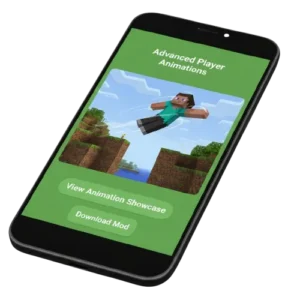
Player Animations
- Walking gets real bounce and arm swing; running adds a forward lean
- Sneaking shows a proper crouch; swimming uses real arm strokes
- Water entry triggers a dive, belly flop, or cannonball – based on how you jump
- Idle players blink, breathe, and look around
Combat Animations
- Swords cycle through side, diagonal, and overhead strikes
- Axes hit slower and heavier; bows show string tension while drawing
- Shields brace before blocking
- Damage and hit detection stay 100% vanilla – PvP remains fair
Tool & Mining Animations
- Pickaxes strike down, axes chop sideways, shovels scoop, hoes follow farming rhythm
- Mining sparks change based on tool material and block type
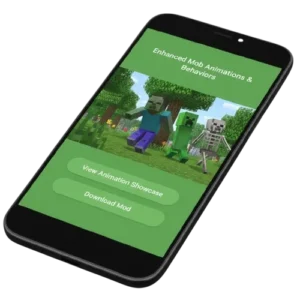
Mob Animations & Behaviors
- Cows graze with lowered heads and swishing tails
- Chickens flap and scatter when you come close
- Wolves wag tails, yawn, and move their ears; cats loaf and stretch
- Villagers blink and show facial expressions
- Creepers get a scary, trailer-style look
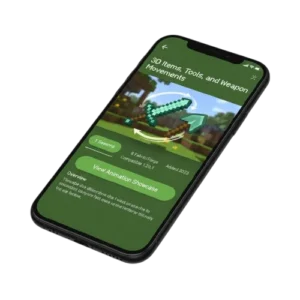
3D Items, Tools, and Weapons
- Held items rebuilt as detailed 3D models
- Smooth transition animations for every attack, mining hit, and item swap
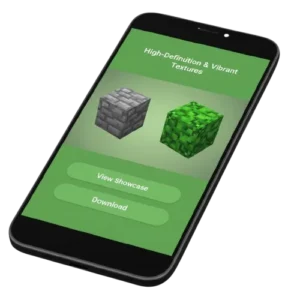
High-Definition & Vibrant Textures
- Full texture overhaul for the Overworld, Nether, and End
- Sharper blocks and items – original Minecraft style stays intact
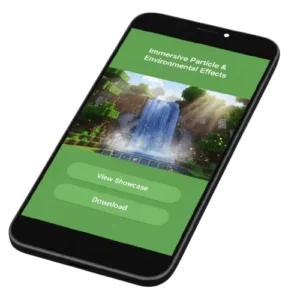
Particle & Environmental Effects
- Grass sways differently in each biome; biome fog shifts on its own
- Rain splashes on surfaces; fireflies, falling leaves, and waterfall mist
- Boats leave foam trails; footprints appear in snow; torches flicker
- The Pale Garden gets a noticeably spookier mood
Eating, Drinking & Status Effects
- Food disappears bite by bite; potion liquid drains as you drink
- Buffs show visual cues – a flash for healing, a rising shine for power-ups
Customizable Settings
- Three subpacks (16x, 32x, 64x) to match any device, from 2GB phones to RTX PCs
Actions and Stuff vs Vanilla Minecraft: Direct Comparison
| Animation | Vanilla Bedrock | Actions and Stuff |
|---|---|---|
| Walking | Sliding, no bounce | Weighted steps, arm swing |
| Running | Simple speed-up | Forward lean, pumping arms |
| Swimming | Stiff flailing | Fluid arm strokes |
| Water entry | Plain splash | Dive / belly flop / cannonball |
| Sword attack | One repeated arc | Multi-angle cycling strikes |
| Bow draw | Static pull | Progressive string tension |
| Mining | Identical loop | Tool-specific arcs with sparks |
| Cow idle | Frozen standing | Grazing, tail swish, ear flicks |
| Wolf idle | Static | Tail wag, stretch, yawning |
| Rain | Flat overlay | Surface splashes and puddles |
| Grass | Static texture | Biome-varied swaying |
| Torch | Static flame | Flickering, dancing light |
Resolution Subpacks: 16x, 32x, and 64x Explained
Important point: all animations and effects work the same in every subpack. Only texture sharpness changes. Most lag issues come from picking a resolution too high for your device. So choose like this:
- 16x – Budget & older phones (2GB RAM or less): smooth on 2017-2018 devices, full animations, stable FPS, low battery drain
- 32x – Mid-range devices (3-4GB RAM, 2019-2022): the sweet spot for most Android players; sharper than 16x with light performance cost
- 64x – High-end phones & PC (6GB RAM+, 2022+): maximum detail; pairs well with RTX on Windows; best for recording and streaming
You can switch anytime from the gear icon next to the pack in Global Resources.
APK vs MCPACK: Which File Should You Download?
| Factor | APK | MCPACK |
|---|---|---|
| File size | ~247 MB | ~18 MB |
| Contains | Minecraft Bedrock + pack, pre-set | Resource pack only |
| Platforms | Android only | Android, iOS, Windows, Xbox, PlayStation |
| Best for | New Android users, one-step setup | Players who already own Minecraft |
Rule of thumb: already have Minecraft? Get the small MCPACK. Want everything in one Android package? Get the APK.
System Requirements & Device Compatibility
| Platform | Minimum | Recommended |
|---|---|---|
| Android | 5.0 | Android 10+ |
| iOS | 12 | iOS 15+ |
| Windows | 10 | 11 |
| Xbox | One | Series X/S |
| PlayStation | PS4 | PS5 |
| Nintendo Switch | Supported (partial) | Latest firmware |
| RAM | 2 GB | 4 GB or higher |
| Free storage | 300 MB | 500 MB |
| Minecraft Bedrock | v1.16+ | Latest version |
Console players get the pack from the official Minecraft Marketplace. Marketplace Pass subscribers get it at no extra cost.
How to Download and Install Actions and Stuff
APK Installation on Android
- Tap the Download APK button at the top of this page
- Open your file manager and go to Downloads
- Tap the APK file; if asked, enable Install unknown apps in Settings
- Tap Install and wait 30-60 seconds
- Open the game → Settings → Global Resources → confirm the pack is in Active Packs
- Pick your subpack (16x or 32x on phones) and load any world
MCPACK Installation on Android, iOS, and PC
- Download the MCPACK file from this page
- Open it – Android: tap the file in your file manager; iOS: Files app → Open in Minecraft; PC: double-click
- Go to Settings → Global Resources → My Packs → select the pack → Activate
- Using multiple packs? Drag this one to the top – higher packs override lower ones
- Restart the game and enjoy
Console Installation (Xbox / PlayStation / Switch)
- Open the in-game Marketplace
- Search “Actions and Stuff” by Oreville Studios
- Buy with Minecoins or claim with Marketplace Pass
- Activate it under Global Resources
How to Update Actions and Stuff Manually
- Deactivate and remove the old version from Global Resources
- Download the latest APK or MCPACK from this page
- Import and activate the new version
- Restart Minecraft – worlds, progress, and achievements stay safe (still, back up your worlds before big updates)
Does Actions and Stuff Disable Achievements?
Short answer? No. It is a resource pack, not a behavior pack or mod. Therefore, achievements stay fully active. Recipes, mob AI, and game rules remain pure vanilla – only visuals change.
Does It Work on Realms and Multiplayer Servers?
Yes. The pack is client-side only. So you can use it in Realms, on servers, and in friends’ worlds. Only you see the new animations – other players are unaffected. As a result, it is never counted as an unfair advantage.
Is It Compatible With Shaders, RTX, and Custom Skins?
- Works with most Render Dragon shaders
- Pairs with RTX ray tracing on Windows Bedrock (use the 64x subpack)
- All animations – including blinking and eye tracking – support custom skins
- One warning: avoid stacking it with other heavy animation packs, or files may conflict and glitch
Troubleshooting: Fix Common Problems
- Animations not working? The pack is off or below another pack. Activate it in Global Resources, drag it to the top, restart the game.
- Pack not importing? Your Minecraft version may be too old for the pack version. Check the compatibility chart, then re-import the file.
- Lag or FPS drops? Switch to 16x first. Then set render distance to 8 chunks, turn off Fancy Leaves and Beautiful Skies, and close background apps.
- Crashing or freezing? Another pack is likely conflicting. Disable other packs, clear Minecraft’s cache, restart your device.
Custom skin looks broken? Update to the latest pack version – newer releases fixed skin support.
Performance Tips for Low-End Devices
- Start at 16x; move up only if FPS stays stable
- Keep render distance at 8-10 chunks on phones
- Turn off fancy graphics options you don’t need
- Use the small MCPACK (18 MB) for updates instead of the full APK
- Restart Minecraft after switching subpacks to reload textures cleanly
Actions and Stuff for Java Edition Players
Quick note: Actions and Stuff is Bedrock-only. For Java, the closest match is Fresh Animations – the mod that started this trend. Pair it with a texture pack like Faithful for a similar feel.
Pros and Cons
Pros
- Replaces 50+ animations across players, mobs, tools, and weather
- Achievement-safe – runs through Global Resources
- Works on every Bedrock platform, including consoles
- Three subpacks cover everything from 2GB phones to RTX PCs
- Runs in Realms and multiplayer without affecting other players
- Supports custom skins, most shaders, and RTX
- Regular updates with every new Minecraft game drop
Cons
- Official Marketplace version is paid (1690 Minecoins ≈ $10)
- 64x subpack can lag on phones with under 4GB RAM
- May conflict with other heavy animation or realism packs
- Needs an update after every major Minecraft release
- Nintendo Switch support is partial
- Not available for Java Edition
Best Alternatives to Actions and Stuff
- Fresh Animations (Java) – the original smooth-animation mod for Java
- Better Animations (Bedrock) – lighter pack, close to vanilla style
- Vanilla Tweaks Add-ons – small visual tweaks that blend right in
- Faithful – sharper textures with the classic Minecraft feel
- Lite Animation Packs – made for very low-end devices
- Pure BDcraft – smooth, comic-style texture overhaul
What the Community Says
Nearly 30,000 Marketplace reviews average 4.9 stars – one of the highest-rated Bedrock add-ons ever. Players say it makes vanilla feel like a next-gen update. Content creators use the 64x subpack for cinematic videos. Plus, active communities on Discord, Reddit, and Minecraft forums share setup tips, skin configs, and update news daily.
Player’s Reviews
Frequently Asked Question(FAQ’s)
Final Verdict
So, is it worth it? Absolutely. Actions and Stuff is the biggest animation upgrade Bedrock has ever received:
- Weighted, human-like movement
- Expressive, living mobs
- 3D items and tools
- Dynamic weather and biome effects
- Achievement-safe and multiplayer-friendly
- Runs on everything – budget phones to RTX PCs and consoles
Bottom line: if vanilla Minecraft feels stiff to you, this one pack fixes it. Download the right file above, pick your subpack, and load your world.
Disclaimer: Actions and Stuff is developed by Oreville Studios and distributed officially through the Minecraft Marketplace. This website is an informational fan resource and is not affiliated with Mojang, Microsoft, or Oreville Studios.